• ✨ ARCHIVE MODE ✨
    The forum has now been set to read-only mode, no new posts, resources, replies etc will not be possible.
    We recommend you join our Discord server to get real-time response: Discord Invite Link

Help Notepad++ User Defined Language

Status
Not open for further replies.

Darkfire

Administrator
Administrator
P3D Developer
Who here uses notepad++ whe they are modding and might want a userdefined language that will check some syntax and stuff
ATM it is very basic but I would like people to start testing it etc.
As soon as I figure out how to send it to people :)P) I will upload the necessary stuff here along with an example file to show how it works.

Okay file is up ;)
to add it to your languages open notepad++
go up to languages
godown to user defined language(another window appears)
goto import near the top left
load it just like you would a regular file
it will now show up below userdefined language on the drop down
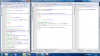
Untitled.png
As an example of how this looks when used here are three versions of Charmander.dat(the script that gives you cyndaquil) when this language is on
 

Attachments

Lilligant

Retired Moderator
Trusted Support
Retired Mod
I am trying to do what you list, but when I click on User Defined, nothing comes up, if you can, help Dark.
 

Darkfire

Administrator
Administrator
P3D Developer
I might have directed you to the wrong place
try "Define your language..."
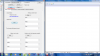
Here are some images to help you
Untitled.png
Untitled2.png

I will also updat the first image to include a demo image or 2 of the UDL in work
 

Darkfire

Administrator
Administrator
P3D Developer
I have Notepad ++, I only use it for the harder scripts though.
I find it a very convenient tool to have
especially with attacks and abilities being in lua(a supported script) and this user defined language feature
and many of the options it supports, etc
It is my default text editor....
 

Lilligant

Retired Moderator
Trusted Support
Retired Mod
What are the lua scripts for anyway, I haven't had the time to look at them.
 

Darkfire

Administrator
Administrator
P3D Developer
What are the lua scripts for anyway, I haven't had the time to look at them.
There are:
Attacks.Lua which contains a list of all of the attacks
It lists the number for the attack , the name of the attavk, the description for the attack, and the file path to get the details for how the attack works in battle.

Abilities is the same but for abilities

Then there are folders for each one
attacks are split into folders for each type
each file allows a myriad of different details to be set
all of the base attacks are set it is just effects that need implementing

no abilities are implemented AON so........
 

Lilligant

Retired Moderator
Trusted Support
Retired Mod
Ok........................ And I think it was you, might have been Vade, but for my intro, I wanted to remove Oak's sprite, but nothing happens when I rub out his sprite and stuff on Paint.Net. I din't want that, as the rival is the one talking, not Oak.
 

Darkfire

Administrator
Administrator
P3D Developer
Ok........................ And I think it was you, might have been Vade, but for my intro, I wanted to remove Oak's sprite, but nothing happens when I rub out his sprite and stuff on Paint.Net. I din't want that, as the rival is the one talking, not Oak.
did you make it an xnb?
 

Darkfire

Administrator
Administrator
P3D Developer
might i ask what this is used for? just to be able to write different languages?
It is a syntax checker/code folder for the pokemon3d scripting language.
If you look at the images you will see the words chancged color
this does that only when the words meet specific conditions
also this alows you to fold up if statements and options so that when you finish them they can be reduced and held out of the way without actually moving the scripts
 
Status
Not open for further replies.
Top