• ✨ ARCHIVE MODE ✨
    The forum has now been set to read-only mode, no new posts, resources, replies etc will not be possible.
    We recommend you join our Discord server to get real-time response: Discord Invite Link

Crash [Indev 0.50.1] Logless Crash

BierGarten100

Starting Trainer
I start my game and then it crashes directly without any error.
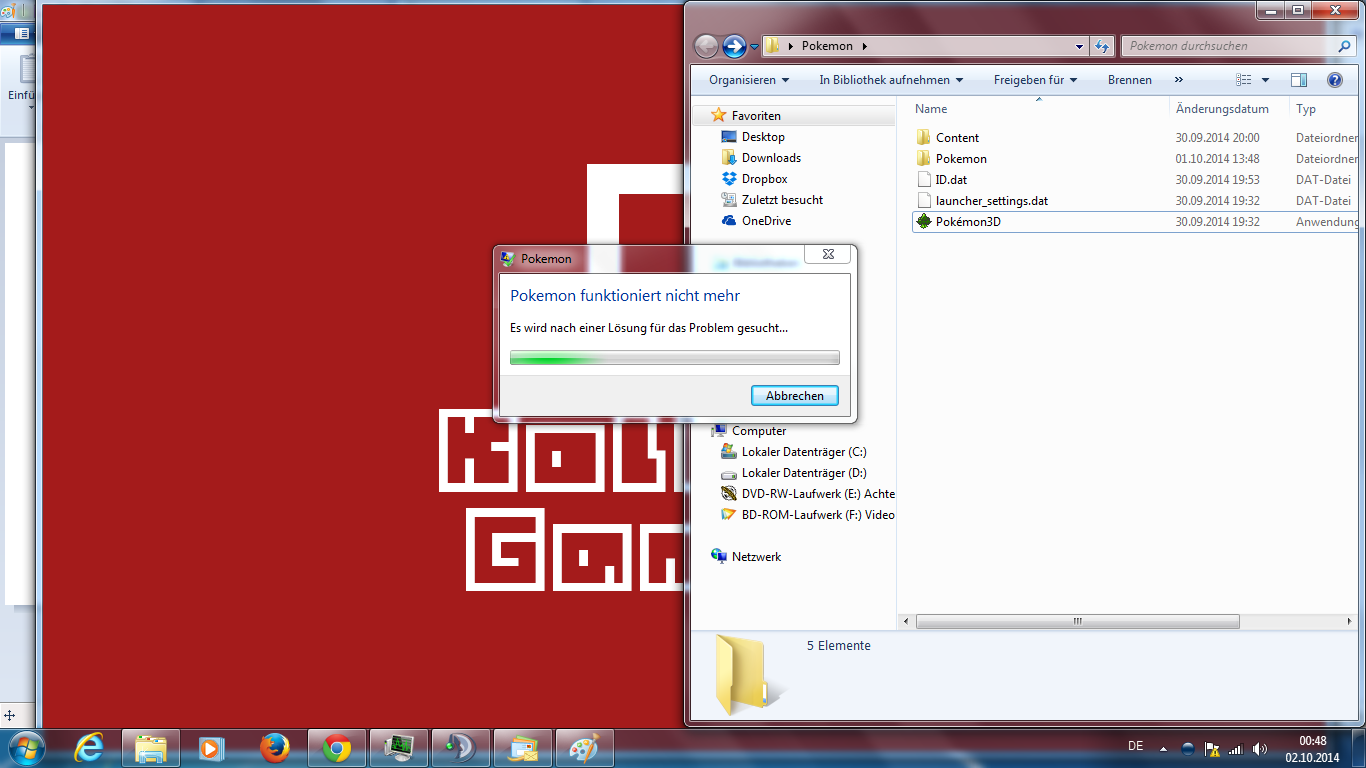
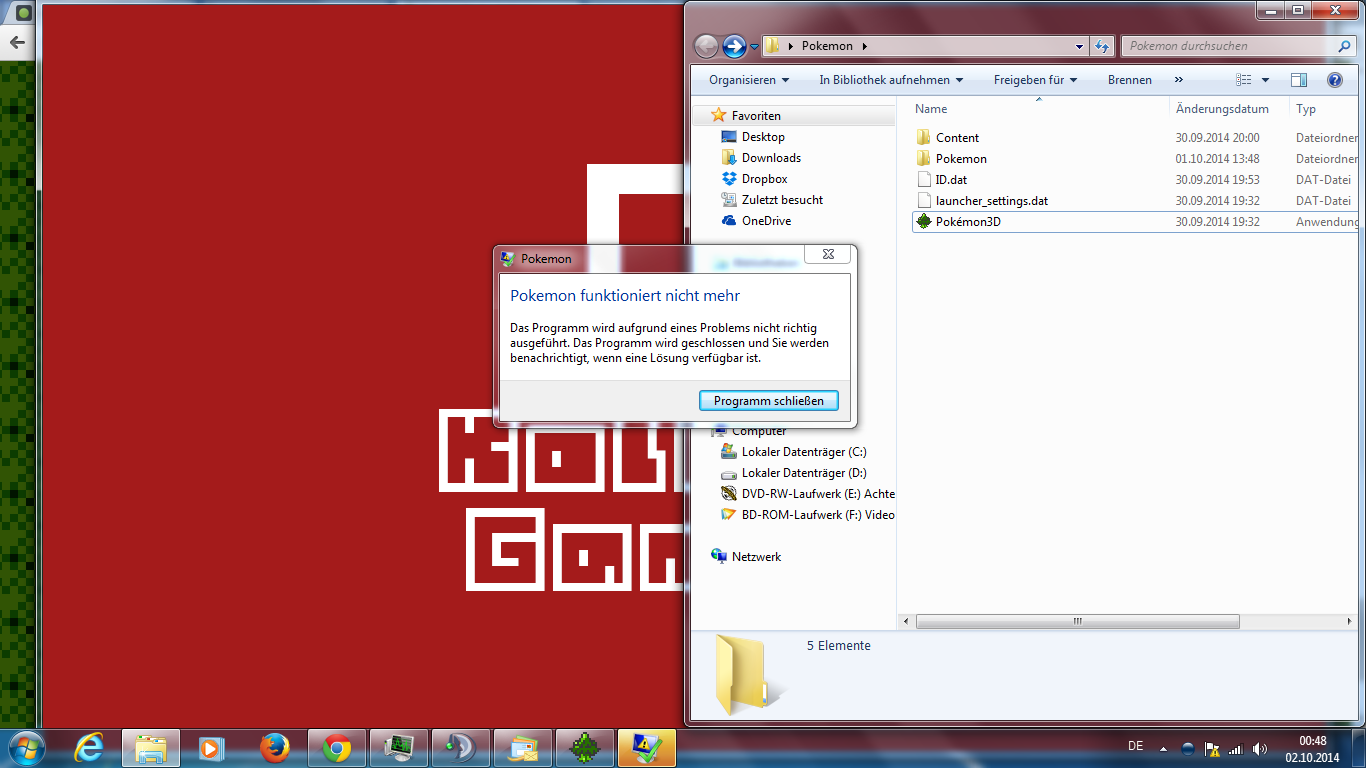
The only thing is there is crashed windows.

more about I can not say there is nothing more happens after that.

Best regards from Germany Berlin
BierGarten100
 

nilllzz

Original Developer
Administrator
P3D Developer
Did you check if there's anything in the Pokemon\log.dat file?
 

Scruffy3Janitor

Pokémon Ranger
you say its a windows crash? then do you know if there is something off with the system. if no did you download all the requirements
 

BierGarten100

Starting Trainer
I have previously made nothing.
My folder structure looks like this:

Pokemon
.....|_> Content
............|_> Temp
...................|_> this folder is empty.
.....|_> Pokemon
............|_> Content
...................|_> this folder has many other folder.
............|_> ContentPacks
...................|_> this folder is empty.
............|_> GameMods
...................|_> Kolben
..........................|_> GameMode.dat
............|_> maps
...................|_> this folder has many other folder and .dat files.
............|_> Save
...................|_> gamejoltAcc.dat
...................|_> Keyboard.dat
...................|_> options.dat
...................|_> server_list.dat
............|_> Scripts
...................|_> this folder has many other folder and .dat files.
............|_> credits.txt
............|_> log.dat
............|_> meta
............|_> Pokemon.exe
.....|_> ID.dat
.....|_>launcher_settings.dat
.....|_>Pokémon3D.exe

I hope this help ?!
 
Last edited:

Scruffy3Janitor

Pokémon Ranger
so, is the problem that it crashes when you open pokemon 3d
if so you might have it in the wrong file path. i can help you out with resyncing it; also check to see that youve downloaded ALL requirements in the downloads page on the website
 

nilllzz

Original Developer
Administrator
P3D Developer
"crashed windows"

Can you provide a screenshot of what you mean by that?
 

Scruffy3Janitor

Pokémon Ranger
Screenshots:


also ... The Game Crash in the Intro screen when it started
so, i think i know ONE problem, if im right
i believe the launcher is looking for the Pokemon folder in its folder; try moving it out of the pokemon folder and into the folder it is in
if not im not really sure
 

Scruffy3Janitor

Pokémon Ranger
The following steps what you say Scruffy3Janitor is wrong ... it does not work
ok, well i ended up doing that. do you know if you have all the required downloads for one?
other then that i really dont know what to say
wait wait wait a minute... did you try moving the Pokemon.exe or the Pokemon3d.exe. because i meant if you have the pokemon3d.exe in there it might be in the wrong place. if not then just check the required downloads
 

BierGarten100

Starting Trainer
Yes i have Download all files and i have following all steps what i must make.
You can look via TeamViewer. I can show you my folder structure
 
Top