J
jianmingyong
Guest
Rename Pokemon3D to PokemonView attachment 7338
and this is the pokemon 3d folder, you see its in different folder but still i cant start the game.
View attachment 7339

✨ ARCHIVE MODE ✨
The forum has now been set to read-only mode, no new posts, resources, replies etc will not be possible.
We recommend you join our Discord server to get real-time response: Discord Invite Link
Rename Pokemon3D to PokemonView attachment 7338
and this is the pokemon 3d folder, you see its in different folder but still i cant start the game.
View attachment 7339

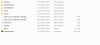
Can you show me what is inside the folder that you have just renamed?
Kolben Games Crash Log V 2.4
Pokémon 3D has crashed!
// RTFM

---------------------------------------------------------------------------------

Game information:

Pokémon 3D Indev version: 0.52.1 (86)
Content Packs: {}
Active GameMode: Pokemon 3D
GameJolt Account: FALSE
Playing on Servers: FALSE
Game Environment: MainMenuScreen
Actionscript: No script running
File Validation: True
Sandboxmode: False

---------------------------------------------------------------------------------

Screen state for the current screen (MainMenuScreen)

MenuIndex=0
CurrentLevel=0
LevelChangeDelay=1000

---------------------------------------------------------------------------------

System specifications:

Operating system: Microsoft Windows 7 Home Premium  [6.1.7601.65536]
Core architecture: 64 Bit
System time: 25.12.2014 16:15:22
System language: Turkish (Turkey)(TRK) / Loaded game language: en
Decimal separator: ,
Available physical memory: 7,89 Gigabyte
Available logical processors: 8

---------------------------------------------------------------------------------

.Net installation information:

v2.0.50727  2.0.50727.5420  SP2
v3.0  3.0.30729.5420  SP2
v3.5  3.5.30729.5420  SP1
v4
  Client  4.5.50938
  Full  4.5.50938
v4.0
  Client  4.0.0.0

---------------------------------------------------------------------------------

Graphics Card information:

[CardName(s): "NVIDIA GeForce GT 630M            ; Intel(R) HD Graphics 4000"]
[CardRAM(s) : "2147483648; 2214592512"]

---------------------------------------------------------------------------------

Error information:

Message: Object reference not set to an instance of an object.
InnerException: NOTHING
BaseException: Object reference not set to an instance of an object.
HelpLink: No helplink available.
Data: Items: 0
Source: Pokemon
Win32 Errorcode: -1

---------------------------------------------------------------------------------

Error solution:
(The provided solution might not work for your problem)

Error ID: -1
Error Type: NaN
Error Description: The error is undocumented in the error handling system.
Error Solution: NaN

---------------------------------------------------------------------------------

CallStack:

   at net.Pokemon3D.Game.MainMenuScreen.DrawMainMenu()
   at net.Pokemon3D.Game.MainMenuScreen.Draw()
   at net.Pokemon3D.Game.Core.Draw()
   at net.Pokemon3D.Game.GameController.Draw(GameTime gameTime)
   at Microsoft.Xna.Framework.Game.DrawFrame()
   at Microsoft.Xna.Framework.Game.Tick()
   at Microsoft.Xna.Framework.Game.HostIdle(Object sender, EventArgs e)
   at Microsoft.Xna.Framework.GameHost.OnIdle()
   at Microsoft.Xna.Framework.WindowsGameHost.RunOneFrame()
   at Microsoft.Xna.Framework.WindowsGameHost.ApplicationIdle(Object sender, EventArgs e)
   at System.Windows.Forms.Application.ThreadContext.System.Windows.Forms.UnsafeNativeMethods.IMsoComponent.FDoIdle(Int32 grfidlef)
   at System.Windows.Forms.Application.ComponentManager.System.Windows.Forms.UnsafeNativeMethods.IMsoComponentManager.FPushMessageLoop(IntPtr dwComponentID, Int32 reason, Int32 pvLoopData)
   at System.Windows.Forms.Application.ThreadContext.RunMessageLoopInner(Int32 reason, ApplicationContext context)
   at System.Windows.Forms.Application.ThreadContext.RunMessageLoop(Int32 reason, ApplicationContext context)
   at System.Windows.Forms.Application.Run(Form mainForm)
   at Microsoft.Xna.Framework.WindowsGameHost.Run()
   at Microsoft.Xna.Framework.Game.RunGame(Boolean useBlockingRun)
   at Microsoft.Xna.Framework.Game.Run()
   at net.Pokemon3D.Game.Program.Main(String[] args)

---------------------------------------------------------------------------------

You should report this error.

Go to "http://pokemon3d.net/forum/forums/6/create-thread" to report this crash there.
I had the same thing. The only solution is to delete the game and game files and then download the game via forum site.It didn't work, what should i do?
It says ''invalid start parameters''.
i did that, but it didn't worked, gave me same error :/I had the same thing. The only solution is to delete the game and game files and then download the game via forum site.
What you have to do is to delete both the Pokemon folder in Program Files(or w.e you put the folder) and then delete the game. Both must be emptied from the Recycle Bin after that. Then download the game again that is shown on the home page. It worked for me.i did that, but it didn't worked, gave me same error :/
did you stored your save folder?What you have to do is to delete both the Pokemon folder in Program Files(or w.e you put the folder) and then delete the game. Both must be emptied from the Recycle Bin after that. Then download the game again that is shown on the home page. It worked for me.
I put the folder in Program Files. I also put the game into the folder, made a shortcut for it and put it into the Desktop.did you stored your save folder?
I deleted all files about pokemon and emptied the recycle bin, downloaded the game again but it gave me the same error, crashed at startup.I put the folder in Program Files. I also put the game into the folder, made a shortcut for it and put it into the Desktop.

Did a log generate or was it a "...has stopped working" crash?I deleted all files about pokemon and emptied the recycle bin, downloaded the game again but it gave me the same error, crashed at startup.