• ✨ ARCHIVE MODE ✨
    The forum has now been set to read-only mode, no new posts, resources, replies etc will not be possible.
    We recommend you join our Discord server to get real-time response: Discord Invite Link

Logo ?

Hi I was thinking about the logo of the game and for me it just dont fit in (This is just a personal opinion.)
Sooo I made this logo maybe you like it, maybe you don't. if you have tips and stuff please leave a comment :D

logo___pokemon_x_by_aschefield101-d5quais.png
 
Last edited:

Darkfire

Administrator
Administrator
P3D Developer
You could make this into a content pack
I made a few minor adjustments and put it in my files just to show you what it would look like
if you need any instructions on making it a content pack let me know ;)
 

Attachments

You could make this into a content pack
I made a few minor adjustments and put it in my files just to show you what it would look like
if you need any instructions on making it a content pack let me know ;)
Awesome! I just have to make it a bit smaller because it's stretching... (in a Horizontal line)
But I would like to know how to make a Content pack :)

(By the way, am I able to make a Higher Resolution texture pack for Pokémon3D ?)
 

Darkfire

Administrator
Administrator
P3D Developer
Awesome! I just have to make it a bit smaller because it's stretching... (in a Horizontal line)
But I would like to know how to make a Content pack :)
okay then ;)
1) create a folder in the /ContentPacks/ folder with a name for your content pack
2) treating that folder as the /content/ folder create the proper file path for the file you intend to replace(in this case /GUI/Menus/Logo.png)
3) create an info.dat file in the main folder for your content pack(copying and editing one from another pack would be simple
4) you can then turn it on by pressing the pokeball icon on the main menu
 
okay then ;)
1) create a folder in the /ContentPacks/ folder with a name for your content pack
2) treating that folder as the /content/ folder create the proper file path for the file you intend to replace(in this case /GUI/Menus/Logo.png)
3) create an info.dat file in the main folder for your content pack(copying and editing one from another pack would be simple
4) you can then turn it on by pressing the pokeball icon on the main menu
Thanks! :D
May I ask something about the Textures ? I dont know if that info is secret or something
 
no secrets here ;)
Nice!
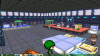
Well, I want to make A higher resolution texture pack (the default texture is 16 x 16 i think) but is want to make one of 32 x 32 (for now maybe later even more pixels :p) but when i change the size of the Poké center for example and go back to the game the texture is too big for it
2014-04-23_17.11.09.png
Is there a way to change that ?

(sorry for my bad english)
 
Hey Dark,
I've been looking how to do it but i didnt really understand it so i used one of the other packs (sadly that pack wasn't finished) and i used some example textures i found on google just to see how it would look and now im working on the routes.png and it looks like this now 2014-04-23_18.40.42.png
I hope people will like it :p or else i just make the default pack in higher resolution
 
This looks really good. I'm anxious for the pack release date.
Thanks! This is my first pack so I don't really know when its going to be finished, I just finished the Cherrycove City
2014-04-23_21.52.43.png
I'm still thinking about giving each city another theme / texture so it won't get boring look around in johto

And im open for tips and suggestions :p
 
Top