

Davey
Champion
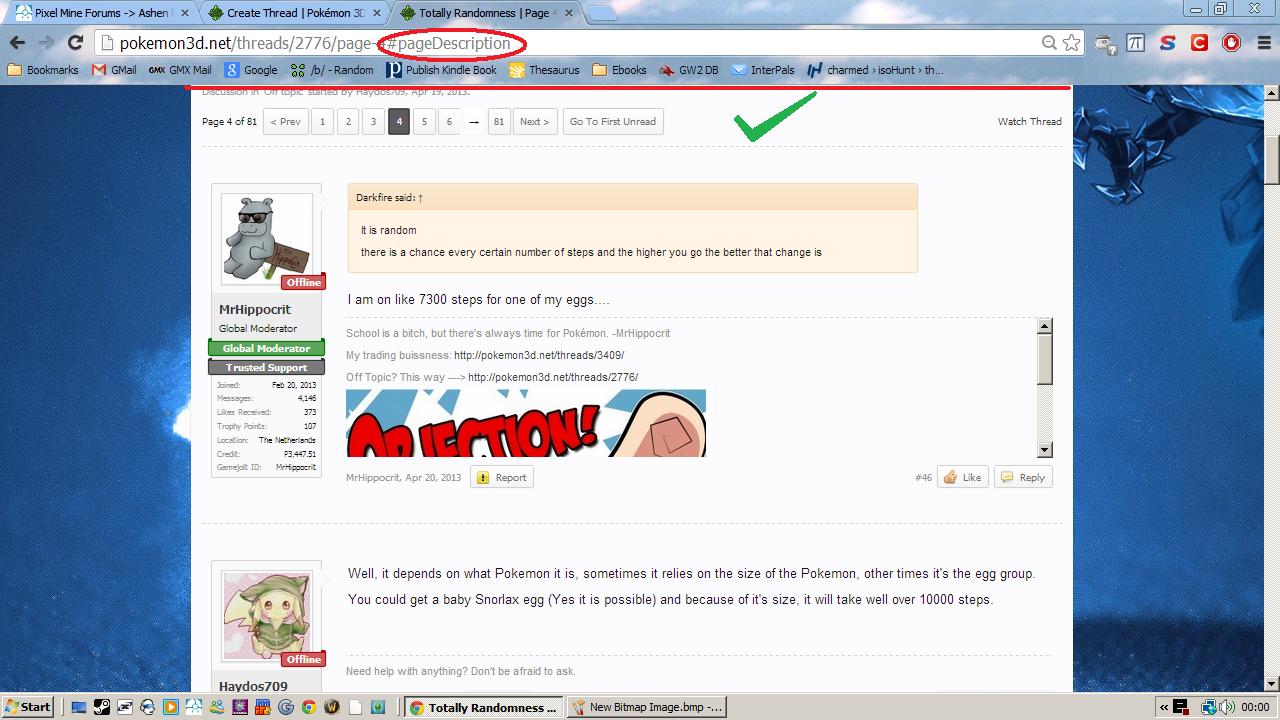
It would be most welcome for viewing threads with multiple pages if you could use the anchor "#pageDescription" at the end of the URL in thread-view mode, so it places the top of the page at the first message in the new page number selected. Currently when going back to a thread you previously visited, it places you at the last post using an anchor, but it'd be nice for there to be an anchor straight to the action for a thread you haven't yet viewed a new page to.
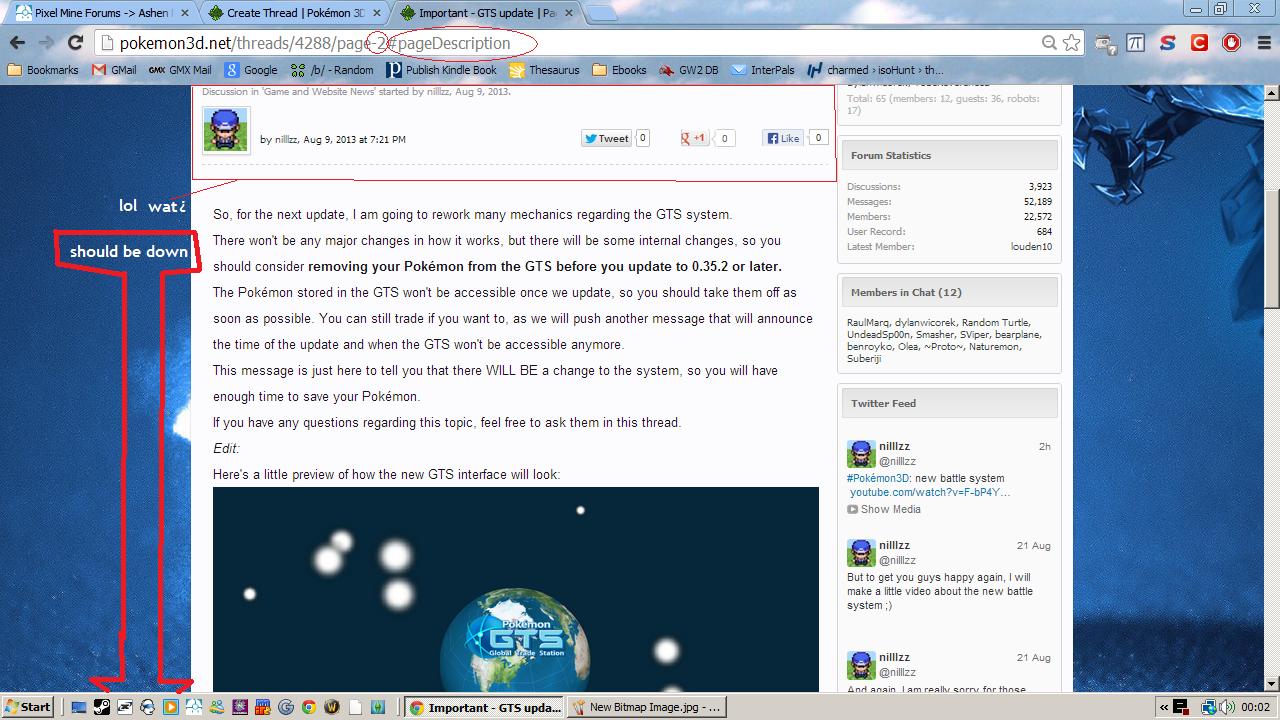
Right now, all it does it places you back at the top of the thread, so you have to scroll down. This is problematic for certain threads where the OP's message (I think if it's nilllzz or a development post) keeps appearing as the first message of the page.
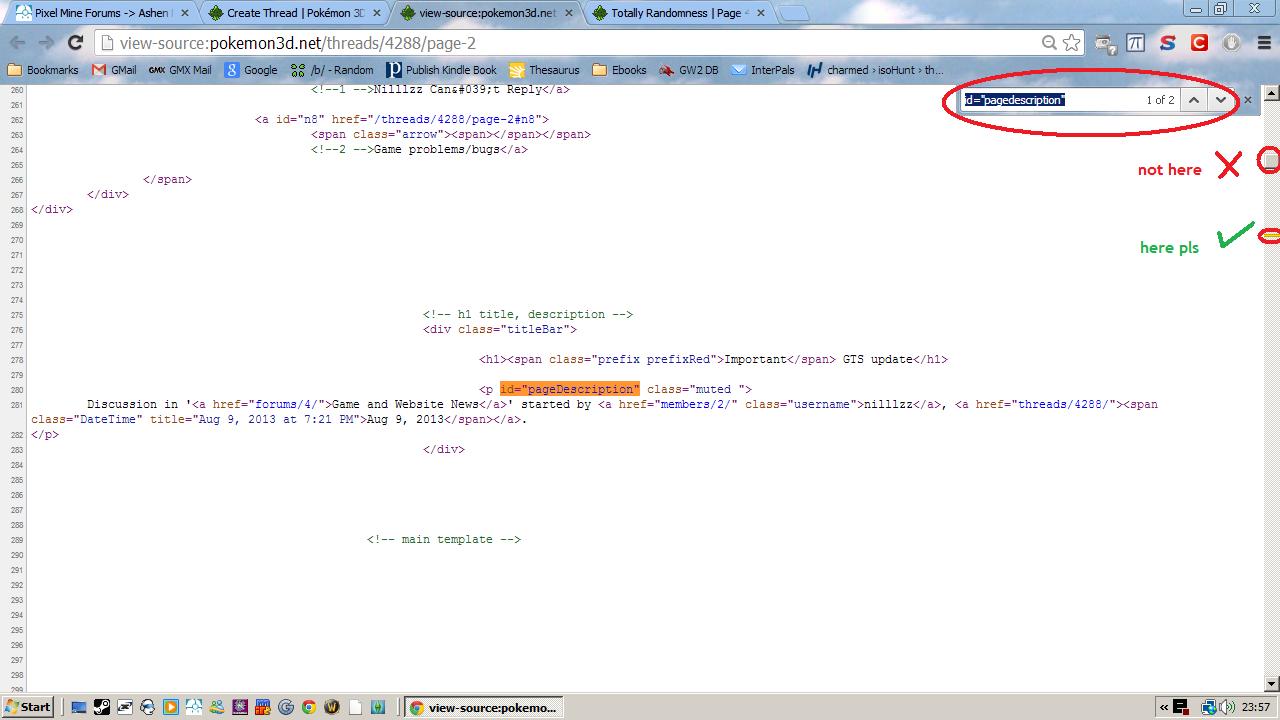
In fact, in the Source code, the anchor #pageDescription is the closest element to the top of the message list. However, this is currently broken in certain threads where the OP's message appears as the first message on each page, as the ID is used twice in the same page. So when you call #pageDescription, instead of it putting you at the top of the pagination section, it places you at the top of the page because that is where the first #pageDescription is called.
It would make lurkers like me happy to save that extra bit of scrolling per thread per page .
Some pictures for you to view to make it clear what I mean.
Right now, all it does it places you back at the top of the thread, so you have to scroll down. This is problematic for certain threads where the OP's message (I think if it's nilllzz or a development post) keeps appearing as the first message of the page.
In fact, in the Source code, the anchor #pageDescription is the closest element to the top of the message list. However, this is currently broken in certain threads where the OP's message appears as the first message on each page, as the ID is used twice in the same page. So when you call #pageDescription, instead of it putting you at the top of the pagination section, it places you at the top of the page because that is where the first #pageDescription is called.
It would make lurkers like me happy to save that extra bit of scrolling per thread per page .
Some pictures for you to view to make it clear what I mean.

