• ✨ ARCHIVE MODE ✨
    The forum has now been set to read-only mode, no new posts, resources, replies etc will not be possible.
    We recommend you join our Discord server to get real-time response: Discord Invite Link

Help! Game keeps deleting itself

Status
Not open for further replies.

Magicbirdei

Bug Catcher
put the pokemon3d.exe back in the folder you put it when you downloaded
example: you downloaded the exe in 123 folder in drive D and you took the launcher to desktop now just take it back to the 123 folder located in drive D easy as that

But I'm quite sure that's what I did.
 

ivendete

Fisherman
then im not so sure whats the problem im sorry but i cant help maybe the mods will help you or you can always play again sorry again :(
 

Darkfire

Administrator
Administrator
P3D Developer
first you should make a Gamejolt account and play with the associated save
b/c you can't accidentaly delete that
 

Magicbirdei

Bug Catcher
first you should make a Gamejolt account and play with the associated save
b/c you can't accidentaly delete that
I actually did make a gamejolt account, but I had no idea what to do with it.

As for my problem, since it got my first game when I put it on the desktop, if I can recreate the conditions the game was in before, it should work. I've tried that and either I'm not doing it right or it doesn't work that way.
 

Darkfire

Administrator
Administrator
P3D Developer
first you should make a Gamejolt account and play with the associated save
b/c you can't accidentaly delete that
I actually did make a gamejolt account, but I had no idea what to do with it.

As for my problem, since it got my first game when I put it on the desktop, if I can recreate the conditions the game was in before, it should work. I've tried that and either I'm not doing it right or it doesn't work that way.
dedownload the launcher
move it to your desktop
redownload the game
start it
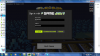
when you get to the menu press the thunderbolt like icon in the bottom right
sign in with your game jolt name(case sensitive) and token(not password)
the token is randomly generated for your account(how to find it shown below)
2013-05-24_23.02.30.png
 

Magicbirdei

Bug Catcher
I actually did make a gamejolt account, but I had no idea what to do with it.

As for my problem, since it got my first game when I put it on the desktop, if I can recreate the conditions the game was in before, it should work. I've tried that and either I'm not doing it right or it doesn't work that way.
dedownload the launcher
move it to your desktop
redownload the game
start it
when you get to the menu press the thunderbolt like icon in the bottom right
sign in with your game jolt name(case sensitive) and token(not password)
the token is randomly generated for your account(how to find it shown below)
I don't think that will work... The game hasn't had anything to do with gamejolt
 

Darkfire

Administrator
Administrator
P3D Developer
what do you mean it wont work?
what version are you on?
as of 0.32 the main save is saved on Gamejolt's servers
 
Status
Not open for further replies.
Top