
-
✨ ARCHIVE MODE ✨
The forum has now been set to read-only mode, no new posts, resources, replies etc will not be possible.
We recommend you join our Discord server to get real-time response: Discord Invite Link
Pokeditor - The P3D map editor | testing build available
- Thread starter DracoHouston
- Start date
- Status
- Not open for further replies.




Splint
Champion
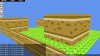
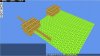
Just something i found out the hard way if your map ends up crashing in game but not in the editor check your lines
for some reason this crashes my game but not the editor:
And changing that to this:
Fixes it
So am pretty sure something is not supported in that line in game that is generated by the editor.
for some reason this crashes my game but not the editor:
Code:
{"Floor"{ENT[{"EntityID"{str[Floor]}}{"Scale"{sngArr[1,1,1]}}{"Rotation"{int[0]}}{"Textures"{recArr[[0,0,16,16]]}}{"TexturePath"{str[pallettown]}}{"Collision"{bool[1]}}{"Visible"{bool[1]}}{"Action"{int[0]}}{"AdditionalValue"{str[]}}{"Size"{intArr[16,20]}}{"TextureID"{str[]}}{"Name"{str[]}}{"ID"{int[0]}}{"TextureIndex"{intArr[0,0]}}{"ModelID"{int[0]}}{"Position"{sngArr[-18,0,5]}}{"Texture"{rec[16,0,16,16]}}]}}
{"Floor"{ENT[{"EntityID"{str[Floor]}}{"Scale"{sngArr[1,1,1]}}{"Rotation"{int[0]}}{"Textures"{recArr[[0,0,16,16]]}}{"TexturePath"{str[pallettown]}}{"Collision"{bool[1]}}{"Visible"{bool[1]}}{"Action"{int[0]}}{"AdditionalValue"{str[]}}{"Size"{intArr[16,20]}}{"TextureID"{str[]}}{"Name"{str[]}}{"ID"{int[0]}}{"TextureIndex"{intArr[0,0]}}{"ModelID"{int[0]}}{"Texture"{rec[16,0,16,16]}}{"Position"{sngArr[-1,1,5]}}]}}
Code:
{"Floor"{ENT[{"Size"{intArr[16,20]}}{"Position"{intArr[-18,0,5]}}{"TexturePath"{str[pallettown]}}{"Texture"{rec[16,0,16,16]}}]}}
{"Floor"{ENT[{"Size"{intArr[16,20]}}{"Position"{intArr[-1,1,5]}}{"TexturePath"{str[pallettown]}}{"Texture"{rec[16,0,16,16]}}]}}So am pretty sure something is not supported in that line in game that is generated by the editor.

JojoP
Pokémon Ranger
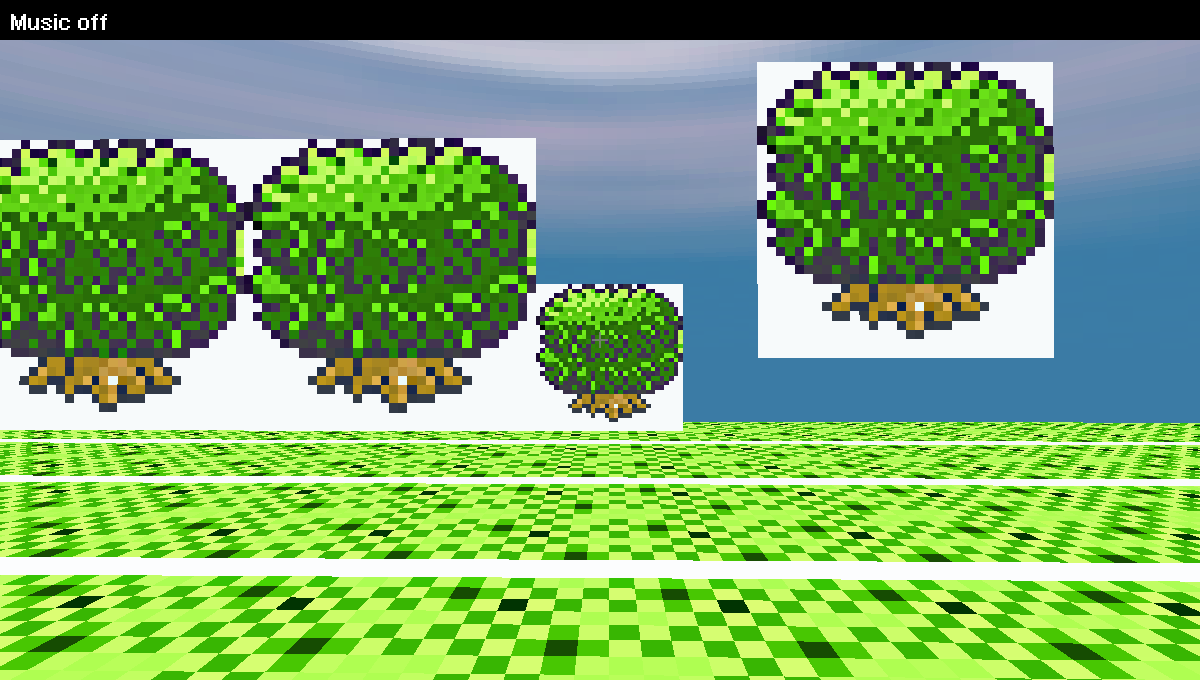
Left is the method which is used for the normal trees in the game ... they create a gap between the 2 entities.
The middle one is the whole tree but with scale 1.1 ...
The right is scaled 2.2 (also created on Y = 1 rather than y = 0 because the creator crashes when an entities goes into the ground)
http://imgur.com/Vs8RD
The middle one is the whole tree but with scale 1.1 ...
The right is scaled 2.2 (also created on Y = 1 rather than y = 0 because the creator crashes when an entities goes into the ground)
http://imgur.com/Vs8RD
Splint
Champion
Strange could u post the editors tag here in a code tag? I have had no problems myself moving entities into the ground i pretty much scale it then reposition it.Left is the method which is used for the normal trees in the game ... they create a gap between the 2 entities.
The middle one is the whole tree but with scale 1.1 ...
The right is scaled 2.2 (also created on Y = 1 rather than y = 0 because the creator crashes when an entities goes into the ground)
http://imgur.com/Vs8RD
Select your entity and use CTRL + C it copies the tag to your clipboard u can then paste it right here pretty handy feature draco thought off
JojoP
Pokémon Ranger
The floating one:
In the ground:
Code:
{"Entity"{ENT[{"EntityID"{str[WallBill]}}{"Scale"{sngArr[2,2,1]}}{"Rotation"{int[0]}}{"Texture"{rec[0,0,16,16]}}{"TexturePath"{str[Ilex]}}{"Collision"{bool[1]}}{"Visible"{bool[1]}}{"Action"{int[0]}}{"AdditionalValue"{str[]}}{"Size"{intArr[1,1]}}{"TextureID"{str[]}}{"Name"{str[]}}{"ID"{int[0]}}{"Textures"{recArr[[0,48,32,32]]}}{"TextureIndex"{intArr[0,0]}}{"ModelID"{int[3]}}{"Position"{sngArr[12,1,0]}}]}}
Code:
{"Entity"{ENT[{"EntityID"{str[WallBill]}}{"Scale"{sngArr[2,2,1]}}{"Rotation"{int[0]}}{"Texture"{rec[0,0,16,16]}}{"TexturePath"{str[Ilex]}}{"Collision"{bool[1]}}{"Visible"{bool[1]}}{"Action"{int[0]}}{"AdditionalValue"{str[]}}{"Size"{intArr[1,1]}}{"TextureID"{str[]}}{"Name"{str[]}}{"ID"{int[0]}}{"Textures"{recArr[[0,48,32,23]]}}{"TextureIndex"{intArr[0,0]}}{"ModelID"{int[3]}}{"Position"{sngArr[14,0,0]}}]}}Splint
Champion
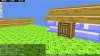
Something like this?
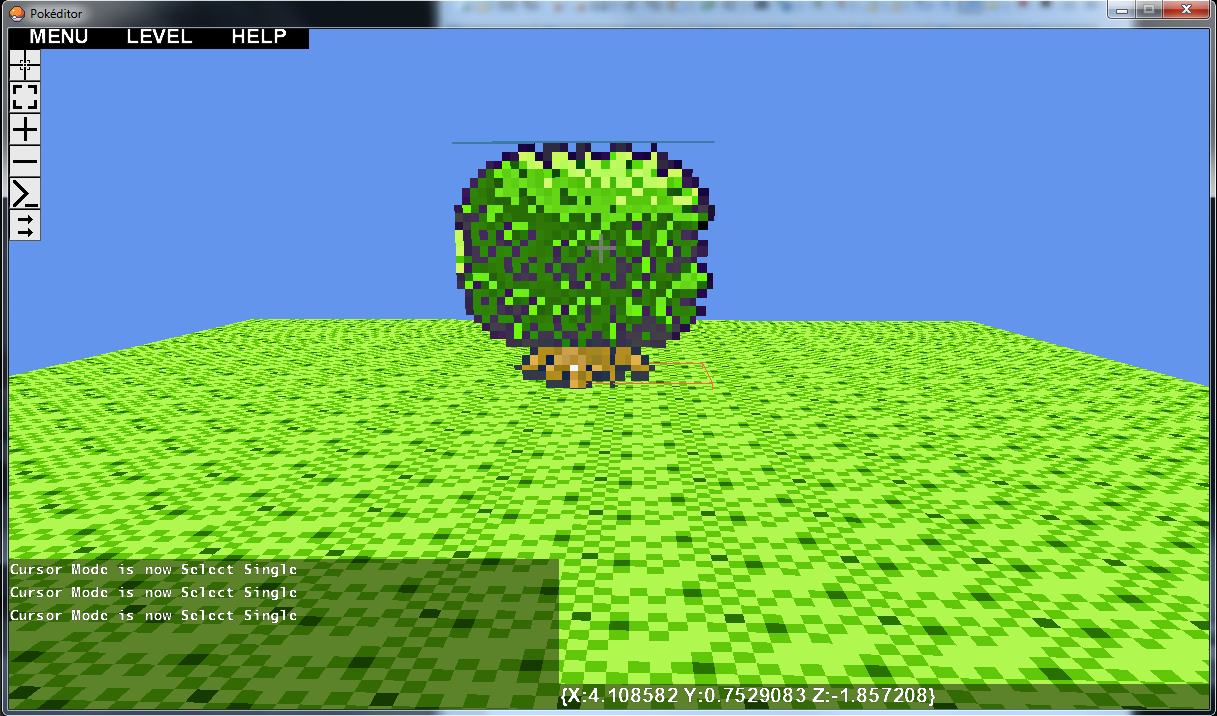
Did not change much scale 2 , 2 , 2 seemed to work out just re-positioned it to 0.4 so the bottom part is in the ground that seems to work for me? if u want a really big tree u could always split it up and divide it over 4 entities 2 blocks below each a corner texture 2 blocks on top each another corner texture then scale those 2 blocks so they occupy 4 blocks on the ground 4 blocks in the air
Code:
{"Entity"{ENT[{"EntityID"{str[WallBill]}}{"Rotation"{int[0]}}{"Texture"{rec[0,0,16,16]}}{"TexturePath"{str[Untitled]}}{"Collision"{bool[1]}}{"Visible"{bool[1]}}{"Action"{int[0]}}{"AdditionalValue"{str[]}}{"Size"{intArr[1,1]}}{"TextureID"{str[]}}{"Name"{str[]}}{"ID"{int[0]}}{"TextureIndex"{intArr[0,0]}}{"ModelID"{int[3]}}{"Textures"{recArr[[0,0,128,128]]}}{"Position"{sngArr[4.5,0.4,4.5]}}{"Scale"{sngArr[2,2,2]}}]}}- Status
- Not open for further replies.