• ✨ ARCHIVE MODE ✨
    The forum has now been set to read-only mode, no new posts, resources, replies etc will not be possible.
    We recommend you join our Discord server to get real-time response: Discord Invite Link

Pokeditor - The P3D map editor | testing build available

Status
Not open for further replies.

DracoHouston

Kolben Developer
Contributor
http://pokemon3d.net/wiki/index.php?title=Pokéditor
http://dracohouston.net/pokemon/tools/pokeditorprerelease.zip
extract into a /pokemon/ folder, if you are editing files i reccommend doing that to a copy of the game instead of the one you play with. report every little thing that goes wrong, i want to catch as much as i can before 0.20

theres lots to add to this still but now it SHOULD be able to make a map from start to finish.

ask me anything if something confuses you
After a chat with Nilllzz he has given me the responsibility of getting the map editor done. After an epic battle with msdn that went on through the night I have compiled the project, and am now officially Working On it.

Many of you have been mapping, doing it all in a text editor, so tell me what you want to see from the editor.

This is whats done, it doesn't look like much but its got all the engine stuff required to get this done, the ui is not done, this is where I come in.

Here are my plans so far:
- I want the mouse cursor on screen outside of the menu screens, decoupling it from the camera, allowing you to move that cube with the mouse(in unreal ed you make csg brushes with a 'builder brush' so that is what I will refer to the cube as from now on). If you hold right click then it would control the camera again.
-more granular movement for the builder brush, it is snapped to the tile grid currently. this will probably work by giving the brush (and other objects) handles so you can move the entity/builder brush around by click-dragging on them. there should be an option to change snap behaviour so you can have it really granular or make it snap to quarter tile lenghts, half tile lengths, to tile grid etc
-handles for resizing entity fields and builder brush. you can only make single blocks with the builder brush right now, so i want to make it so you can resize the builder brush to become the size of the entity field you wish to make (like a rectangle of wall blocks or billboards). this would also apply to entity fields you've already painted.
-status bar at the bottom displaying cursor world position to compliment the camera world position displayed in the corner already. this could also give more info about the entity you are pointing at
-support for placing NPCs and special blocks like warp, slide etc. and setting their properties.
-eventually, support for scripting inside the editor, or at least make it let you create empty new script files and open it up with notepad or something. support inside the editor would mean being able to select the world positions and npcs you want for move, turn, remove etc.
-a window to let you choose what type of entity you want to paint with the builder brush.
-eventually i want the editor to optimize adjacent entities/entity fields so they are saved with as few tags as possible, i also want maps saved by the editor to group tags up with comments indicating what the tags are for ("Floor:" "Walls:" etc) so people can still reasonably read the map files in plaintext and understand them. saving each block individually means a LOT of tags
 

Saruish

Dragon Tamer
After a chat with Nilllzz he has given me the responsibility of getting the map editor done. After an epic battle with msdn that went on through the night I have compiled the project, and am now officially Working On it.

Many of you have been mapping, doing it all in a text editor, so tell me what you want to see from the editor.

This is whats done, it doesn't look like much but its got all the engine stuff required to get this done, the ui is not done, this is where I come in.

Here are my plans so far:
- I want the mouse cursor on screen outside of the menu screens, decoupling it from the camera, allowing you to move that cube with the mouse(in unreal ed you make csg brushes with a 'builder brush' so that is what I will refer to the cube as from now on). If you hold right click then it would control the camera again.
-more granular movement for the builder brush, it is snapped to the tile grid currently. this will probably work by giving the brush (and other objects) handles so you can move the entity/builder brush around by click-dragging on them. there should be an option to change snap behaviour so you can have it really granular or make it snap to quarter tile lenghts, half tile lengths, to tile grid etc
-handles for resizing entity fields and builder brush. you can only make single blocks with the builder brush right now, so i want to make it so you can resize the builder brush to become the size of the entity field you wish to make (like a rectangle of wall blocks or billboards). this would also apply to entity fields you've already painted.
-status bar at the bottom displaying cursor world position to compliment the camera world position displayed in the corner already. this could also give more info about the entity you are pointing at
-support for placing NPCs and special blocks like warp, slide etc. and setting their properties.
-eventually, support for scripting inside the editor, or at least make it let you create empty new script files and open it up with notepad or something. support inside the editor would mean being able to select the world positions and npcs you want for move, turn, remove etc.
-a window to let you choose what type of entity you want to paint with the builder brush.
-eventually i want the editor to optimize adjacent entities/entity fields so they are saved with as few tags as possible, i also want maps saved by the editor to group tags up with comments indicating what the tags are for ("Floor:" "Walls:" etc) so people can still reasonably read the map files in plaintext and understand them. saving each block individually means a LOT of tags
Sounds wonderfull.cant wait to see it when it done.
 

DracoHouston

Kolben Developer
Contributor
well i havent done much tonight because i spent a bunch of time thinking about how its going to work in between playing soulsilver (i got it the other day)

here's some shots of the preliminary ui work i've done. this is the 'world screen', the default screen. its got a message box for alerts, beside that is the camera's position in the world. you have a mouse cursor at all times now, to turn the camera you hold the right mouse button. eventually i am going to make it so you move the builder brush/cursor block by holding left mouse button and moving the mouse to change it along the x and z axis. mouse wheel for y axis (up/down). i want to make it so you can either middle click to toggle between select, move and resize modes or click buttons for it where the text is atm.

along the top are buttons, atm entities, menu and edit have screens but they all don't do much.

this is the entities screen, here you will click one of the buttons to select what entity type you want to paint. the field ones will be able to be resized as a field, the others just scale. i may need a scale and resize mode so you can scale fields (its possible)

This is the menu screen, the first button will ask if you're sure and if so it makes a blank map, nothing in it. the others should bring up those little standard save file/open file dialogues. it is vb.net after all! I'll have to look into how that all works again though, last time I used visual basic it was vb6, haha.

under those are the grid snap settings. right now the builder brush/cursor block thing moves on the tile grid, but this isn't all the engine can do, so i want the option to make the snap grid smaller, so it moves in increments of half tiles, quarter tiles, and 1/10th tiles


thoughts?
 

DracoHouston

Kolben Developer
Contributor
basically the idea is go to entities->pick block type->select mode->drag your mouse around with left mouse button held down and get the brush where you want it->click add

if you select an existing entity you could then click edit or remove. to resize you'd go into resize mode once you have your brush in the right place and click-drag with left mouse button to change the size of each axis etc. if you need less than a tile length between something you change the grid snap to suit. if i can get that ui going we'll probably have something that can work! then there'll be a bunch of work to do on saving the files optimally.

originally i was going to implement a form of the unreal engine canvas 3d math helper stuff that could take a scrren position (say, your mouse cursor) and 'deproject' that onto the world by having a plane in front of the camera the position is transformed onto and that becomes the world location of that point on the screen, and you get a normal vector for the direction that point is in from the camera, using that you can trace a line from that point, along that direction, and see if your mouse is over a game object. i then thought 'how the heck do i do linear algebra?' and watched some mit lectures on it and threw my hands in the air. thats going to be a long term goal, lmao. but if that was working i could just let you click on things in the world to select and have handles for resizing and moving etc. this click drag idea should work well enough in the mean time

edit: entities could maybe be just buttons on the world screen but a separate screen has room for lots of types. maybe if they were icon buttons instead of text ones so it'd just be a row of little buttons

other ideas: make the screens windows of their own, so the entity screen could be part of an unrealed style content browser, where you can find all your textures, sounds, sprites, models, entity types etc. almost everything could be its own window that you can show/hide. i'll look at that stuff once it can make maps (what its actually meant to do) because thats more important than making maps well at this point. still, i'd love to hear any feedback on what you guys need.
 

DracoHouston

Kolben Developer
Contributor
Looks awesome so far :D
thanks. i'm going to make a method for that canvas class for drawing images to the screen and set up some buttons with icons and get this all looking clean, as well as get the brush block (lets just call it that, its the brush block) to move with the mouse like how i described above.

btw, i notice text boxes can't take input already. would i make its update check for key presses if its active and stick whatever key was pressed to the end of the string if its a letter/number/symbol key?
 

DracoHouston

Kolben Developer
Contributor
Maybe use Spritebatch.Draw(Texture2D, DestinationRectangle, SourceRectangle, Color) ?
yeah, something like that :) i just mean putting it into a method in canvas so screens can just go canvas.drawtexture at x,y starting from x2,y2 for x3,y3 pixels etc. there wasn't one yet
 

DracoHouston

Kolben Developer
Contributor
Isn't that what DestinationRectangle does?
no such method in 'canvas', its probably a bit more stripped down than the one in the game itself. theres ones for drawing rectangles,lines, pixels, borders, borders made with a texture and scroll bars.

dont worry about it :) gunna work on it again tomorrow (im heading to bed in a sec).
 

Thunderhoof

Trainer
WOW this is looking so awesome :eek: can´t wait to see it when it is ready. You can totaly count on me for building the maps you need.
Keep up the great work guys. I hope I can support you as soon as the Map Editor is ready.
 

Splint

Champion
Map editor is looking good great job so far :)

The features i would love to see in the map editor although not easy to implement but would help alot in the long run are the following:
  • Ability to edit in 2d mode as in the old tile editors this would allow for easy creation of the ground floors and assigning npc / item placement and would save the hassle of flying trough the map.
  • Ability to group tiles and objects together and name them for easy selecting / moving / removing / toggling on and off
  • Ability to create layers and toggle these on and off for easy visibility
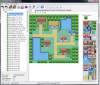
Map Editor example:
advance map.png
 

Saruish

Dragon Tamer
Map editor is looking good great job so far :)

The features i would love to see in the map editor although not easy to implement but would help alot in the long run are the following:
  • Ability to edit in 2d mode as in the old tile editors this would allow for easy creation of the ground floors and assigning npc / item placement and would save the hassle of flying trough the map.
  • Ability to group tiles and objects together and name them for easy selecting / moving / removing / toggling on and off
  • Ability to create layers and toggle these on and off for easy visibility
Map Editor example:
View attachment 71
lol I have that program XD. lol I like messing around with it. made some interesting towns.
 

DracoHouston

Kolben Developer
Contributor
Map editor is looking good great job so far :)

The features i would love to see in the map editor although not easy to implement but would help alot in the long run are the following:
  • Ability to edit in 2d mode as in the old tile editors this would allow for easy creation of the ground floors and assigning npc / item placement and would save the hassle of flying trough the map.
  • Ability to group tiles and objects together and name them for easy selecting / moving / removing / toggling on and off
  • Ability to create layers and toggle these on and off for easy visibility
Map Editor example:
View attachment 71
that first one literally can't happen, mate. i thought about it ages ago but the engine is in 3d and can do all the things that allows so it'd be hard to really make that into a 2d tile thing. you could probably make a program that takes a tile map like that and spits out a skeleton map but in general you could just fly up over the map and work from there. Trust me, working in a 3d view is not that hard, you just move around like someone turned the fly cheat on in an FPS. i'd like to put in a camera speed option like unrealed has that would let you zoom along quick then slow down when you get where you need to be. i think it'd be a good compromise.

entities already group by field but custom groups for reselecting a bunch of things would be useful.

how about this, for the 2nd and 3rd points you have something like unrealed's actor search window, you can search for entity types, or their name, or what they were tagged as. then you could have the option to hide/show things of a certain tag.

all food for thought, thank you for your post
 

DracoHouston

Kolben Developer
Contributor
an advantage of user groups would be to simplify the process of saving the file in a coherent way. user groups could result in the tags for those entites being grouped in the .dat file, with a comment above saying the group name. it could automatically try and group ungrouped tags by type like all the floors together all the walls together etc
 
Status
Not open for further replies.
Top