• ✨ ARCHIVE MODE ✨
    The forum has now been set to read-only mode, no new posts, resources, replies etc will not be possible.
    We recommend you join our Discord server to get real-time response: Discord Invite Link

Crash [Indev 0.53.3] Surf(?) Crash

Sailesh Paul

Starting Trainer
Describe the bug you experienced here.

What I expected to happen:
I thought that i will surf from the water but it didn,t happened


What actually happened:
...when i was playing the game crached unexpectedly

Steps to reproduce:
1. ...please fix this problem
2. ...this game is full of bugs
...

(Add a crash log here if available and enclose it in the code tag with this button:
)
 

Tornado9797

Content Developer
P3D Developer
Global Moderator
Describe the bug you experienced here.

What I expected to happen:
I thought that i will surf from the water but it didn,t happened


What actually happened:
...when i was playing the game crached unexpectedly

Steps to reproduce:
1. ...please fix this problem
2. ...this game is full of bugs
...

(Add a crash log here if available and enclose it in the code tag with this button:
)
The game crashes working when you interact with a body of water? I have to assume here, because you didn't bother actually filling out steps to reproduce. Next time please take the time to fill out the whole report properly.

Also, did the crash generate a crash log? If so, please paste the contents of that log in a post under this thread, it will help a lot in determining what caused the crash. If no crash log was generated, try using the log.dat file instead.
 

Sailesh Paul

Starting Trainer
Describe the bug you experienced here.

What I expected to happen:
...
when i wanted to go from there where there is water the game crashes.please solve this problem
What actually happened:
...

Steps to reproduce:
1. ...
2. ...
...

(Add a crash log here if available and enclose it in the code tag with this button:
)
 

Attachments

Tornado9797

Content Developer
P3D Developer
Global Moderator
Describe the bug you experienced here.

What I expected to happen:
...
when i wanted to go from there where there is water the game crashes.please solve this problem
What actually happened:
...

Steps to reproduce:
1. ...
2. ...
...

(Add a crash log here if available and enclose it in the code tag with this button:

)
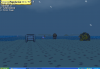
I, unfortunately, can't make much in the screenshot provided, except for the fact that your operating software is Windows XP. I cannot guarantee perfect gameplay on software that is outdated and no longer officially supported.
 

Tornado9797

Content Developer
P3D Developer
Global Moderator
but windows xp supports the game and works perfectly but why the game crashes
As I said earlier...
The game crashes working when you interact with a body of water? I have to assume here, because you didn't bother actually filling out steps to reproduce. Next time please take the time to fill out the whole report properly.

Also, did the crash generate a crash log? If so, please paste the contents of that log in a post under this thread, it will help a lot in determining what caused the crash. If no crash log was generated, try using the log.dat file instead.
 

Tornado9797

Content Developer
P3D Developer
Global Moderator
sorry for providing the incorrect picture. here is the bug picture i have taken
I didn't ask for pictures, they usually don't help in this sort of manner. When your game crashes, does it send you back to the launcher with the Bug Catcher screen, or something more like "Pokemon3D has stopped working..."?
 
J

jianmingyong

Guest
This shows that your graphic card isn't good enough to handle the game. You can see the picture enough to show that.

Ensure you have update your graphic card to the latest version too.
 
J

jianmingyong

Guest
i have windows xp service pack 3 but how to update it
I can't really tell the graphic card you have since Nilllzz decided to ditch the crash log generator inside the current version.

In any case, I wish you grab a copy of:
https://mega.nz/#!HIoDQL5Z!EVyDNiXkhQMXhH_XC4dKNI3gxNVabs7mqlPnD5W2YDs
which is the same game but it generates a crash log.

By pressing and holding F3 + C in the main menu, it will generate a copy of your pc info and you can then find a file inside Pokemon folder called "xx-xx-xx.xx_xx_xx_crash.dat"

Post that to us so we can see the specs you have on your pc to determine the compatibility of the game.
 
Top