
-
✨ ARCHIVE MODE ✨
The forum has now been set to read-only mode, no new posts, resources, replies etc will not be possible.
We recommend you join our Discord server to get real-time response: Discord Invite Link
Pokeditor - The P3D map editor | testing build available
- Thread starter DracoHouston
- Start date
- Status
- Not open for further replies.

Splint
Champion
Is there any way to convert a xna file to a png?
Be sure to have these installed else u will not be able to use it
Microsoft Visual Studio 2010 (C# Edition)
http://www.microsoft.com/visualstudio/eng/downloads#d-2010-express
XNA Game Studio:
http://www.microsoft.com/en-us/download/details.aspx?id=23714

Splint
Champion
My bad use the other toolIve tried it, but it can only convert pictures to xnb, not the other way round...?

General Tools:
- XNB Exporter: https://www.dropbox.com/s/htlkbmf8jw8sqrc/XNB Exporter.rar
- Exports XNB Files to images / sounds
Splint
Champion
Extract XNB Exporter and xnbbuilder.dll into a folder copy the XNB u want to convert to a image next to XNB Exporter.exe open up XNB Exporter and hit Go for it! don't type anything in just hit the button.
It should now convert the xnb into a image.
If u put multiple xnb next to the .exe it will extract them all and if u want to extract a specific xnb u type in the name of the xnb without .xnb
Important part is the .exe and the .dll file need to be next to the xnb u want to convert
It should now convert the xnb into a image.
If u put multiple xnb next to the .exe it will extract them all and if u want to extract a specific xnb u type in the name of the xnb without .xnb
Important part is the .exe and the .dll file need to be next to the xnb u want to convert

Paperpyro
Bug Catcher
thanksExtract XNB Exporter and xnbbuilder.dll into a folder copy the XNB u want to convert to a image next to XNB Exporter.exe open up XNB Exporter and hit Go for it! don't type anything in just hit the button.
It should now convert the xnb into a image.
If u put multiple xnb next to the .exe it will extract them all and if u want to extract a specific xnb u type in the name of the xnb without .xnb
Important part is the .exe and the .dll file need to be next to the xnb u want to convert
Splint
Champion
As much as i like to help u i think this one is out of my hands u should ask Nilllzz for permission first if you want to modify the launcher and if u google around a bit am sure u will figure out a way to get what u need.I wanna see if i can do a few things...
such as changing where it looks for all the data
(one of the few reasons)
U could tweet Nilllzz and see if he responses twitter.com\Nilllzz

red dogg
Pokémon Ranger
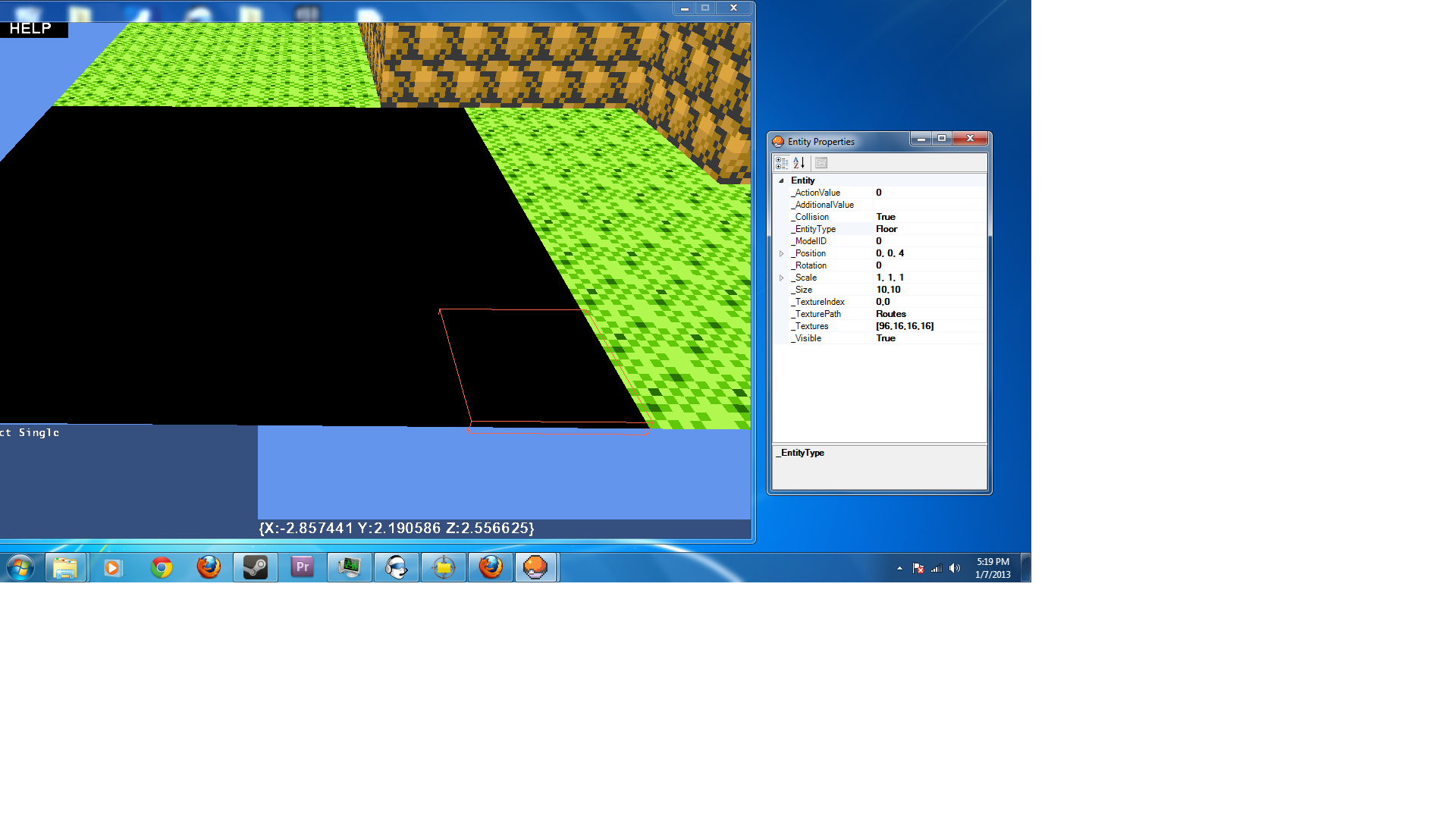
Ok so i've tried to fix the shadow issue on my map still having no luck, the shadow is a 5x5 area on the map in game same as the 1 in my editor, but it keeps showing up in a different place and no matter what i do to the area in my editor, every time i save it the area turns black again. The area the 1st 5x5 square starting at 0,0,0 and as you can see in these screenshots the values for the entities are the same in the black area as they are for the non issue area.
Attachments
-
 411.6 KB Views: 498
- Status
- Not open for further replies.