• ✨ ARCHIVE MODE ✨
    The forum has now been set to read-only mode, no new posts, resources, replies etc will not be possible.
    We recommend you join our Discord server to get real-time response: Discord Invite Link

Crash [Indev 0.53] Vermillion City Crash

I think you have a corrupted vermilion city map file.

http://pokemon3d.net/forum/attachments/8462/

Try to see if you can download the attachment that contains only the map files.
Thank you, I shall see if it works next time I'm on the pc, still confused how the map ended up corrupted though, and other areas have crashed before but would eventually resolve on their own. Still wonder why this is. ^^; I also had a problem with my box.dat before but it resolved now, it crashed repeatedly until I deleted my Aggron. I think my Aggron was corrupted somehow, and I didn't do anything to him. ^^;
 
It's still crashing and I don't know why. 8( I replaced my maps with the link you provided and I downloaded, and even extracted the files. The game still crashes when exiting the S.S. Aqua.....Think I should just edit my save data again and start off in a different area? I even tried adding the city to my list of visited maps but it won't let me fly there either. So far Kanto has been inaccsessible.
 
J

jianmingyong

Guest
Since you are able to upload a txt file, can you think you could upload your save file folder compressed into zip file or something and upload it here?

I could check if it is your save problem or simply is your computer problems.
 
Since you are able to upload a txt file, can you think you could upload your save file folder compressed into zip file or something and upload it here?

I could check if it is your save problem or simply is your computer problems.
I'll see if I can, but from what I have, I don't have a program that can read compressed folders on my tablet, so probably won't be able to send it unless I send my dat files separately and convert them to txt.
 
Last edited:
Since you are able to upload a txt file, can you think you could upload your save file folder compressed into zip file or something and upload it here?

I could check if it is your save problem or simply is your computer problems.
I downloaded androzip to send a zipped version of my complete save folder.
 

Attachments

J

jianmingyong

Guest
I have checked and it is not the save file problem. It is more of the gamefile problems though. Try to turn off all content pack and see if it works.
 
I have checked and it is not the save file problem. It is more of the gamefile problems though. Try to turn off all content pack and see if it works.
I have tried that unfortunately and it didn't work. I think probably the only way is to uninstall and reinstall the program. I'm going to back up my save file and hopefully won't cause any problems.
 
Uninstalled and reinstalled the game. Really at a loss now.....it is still crashing. Backed up my save folder and screenshots and that was it. That can't be the problem because like you said you checked and it's not a save problem. Plus the game had no problems at all with my save file. Crashes happened for other reasons but always resolved themselves, except for when I tried getting off the S.S. Aqua into Vermilion City......it ALWAYS crashes. Don't know what the problem could be now because I did a fresh install of all the other game files. :C
 
Well, I gave it one last shot but I altered my save location again otherwise I was gonna be stuck on S.S. Aqua forever. I set myself into Viridian's Pokemon Center and walked out, hoping it wasn't gonna crash when I walked outside and so far Viridian City seems to be fine. I just hope starting off in this city instead of the corrupted Vermilion won't mess the storyline up......
Edit: Went north of Viridian City, took Diglett's Cave to see if it would be any different entering Vermilion from the cave, and not only did I get scared shitless walking face to face into a giant Snorlax, but the game crashed.....again......I think something is wrong with Vermilion City......as I did a fresh install of the whole game except my save file, and it still crashes.

 
Last edited:

Darkfire

Administrator
Administrator
P3D Developer
wait
that log said it couldnt find maps\vermilion.dat
it should be maps\vermilion\main.dat

are you sure you have 0.53?
 
wait
that log said it couldnt find maps\vermilion.dat
it should be maps\vermilion\main.dat

are you sure you have 0.53?
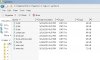
Yeah I do......I got a screenshot of the folder, it's the latest download. This is what the Vermilion folder looks like from what was downloaded because I had to do a fresh install. Still crashes and the new log said the same thing. Sent Vermilion folder as a zip just in case there is a problem with it too.
 

Attachments

Last edited:

Darkfire

Administrator
Administrator
P3D Developer
could you turn on the debug UI(f3) and take a screenshot?
also could you try opening the player.dat file, find the line "SandBoxMode|" and change the 1 to a 0
that might catch the error in a more visible way
if it does something wrong try it again but press f3+l before and read what the log says
 
could you turn on the debug UI(f3) and take a screenshot?
also could you try opening the player.dat file, find the line "SandBoxMode|" and change the 1 to a 0
that might catch the error in a more visible way
if it does something wrong try it again but press f3+l before and read what the log says
I'll try it next time I get back on as I had to log off the pc for the night, but I'll try it next time I'm on. I gotta head off to bed now, but hopefully this method catches something because something is definitely wrong in Vermilion City. However as I'm not used to those controls, I might take a few tries to get the right shots. Would f3 say if something is wrong upon attempting to enter the city and that's when I take a screenshot? All at the same time I am set to sandboxmode? As for f3+I, is that an uppercase i or lowercase L? Also I'm saved right before the exit of Diglett Cave, before I would enter Vermilion. I'll try your methods next time I'm on the pc and hopefully it can be fixed. Sorry for the trouble.....^^;
 

Tornado9797

Content Developer
P3D Developer
Global Moderator
I'll try it next time I get back on as I had to log off the pc for the night, but I'll try it next time I'm on. I gotta head off to bed now, but hopefully this method catches something because something is definitely wrong in Vermilion City. However as I'm not used to those controls, I might take a few tries to get the right shots. Would f3 say if something is wrong upon attempting to enter the city and that's when I take a screenshot? All at the same time I am set to sandboxmode? As for f3+I, is that an uppercase i or lowercase L? Also I'm saved right before the exit of Diglett Cave, before I would enter Vermilion. I'll try your methods next time I'm on the pc and hopefully it can be fixed. Sorry for the trouble.....^^;
The command is "F3 + L".
 

Darkfire

Administrator
Administrator
P3D Developer
I'll try it next time I get back on as I had to log off the pc for the night, but I'll try it next time I'm on. I gotta head off to bed now, but hopefully this method catches something because something is definitely wrong in Vermilion City. However as I'm not used to those controls, I might take a few tries to get the right shots. Would f3 say if something is wrong upon attempting to enter the city and that's when I take a screenshot? All at the same time I am set to sandboxmode? As for f3+I, is that an uppercase i or lowercase L? Also I'm saved right before the exit of Diglett Cave, before I would enter Vermilion. I'll try your methods next time I'm on the pc and hopefully it can be fixed. Sorry for the trouble.....^^;
f3+L
L as in Lemon(the letter before "m")

1)make your save sandbox mode first

2)take a screen of your f3 UI as soon as you load the game

3)try to enter vermilion
4)take a screen of whatever happens
5)reload the save no mater what happens and press "f3 +L"
6)try to enter vermilion again and take a screen of the result
 
Top