
Conquest
Active Member
or erase it because we have this:I say leave it in for now
maybe move it to the bottom of the page?
All that we need is the pokemons and the color legend
Attachments
-
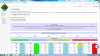 332 KB Views: 431

✨ ARCHIVE MODE ✨
The forum has now been set to read-only mode, no new posts, resources, replies etc will not be possible.
We recommend you join our Discord server to get real-time response: Discord Invite Link
or erase it because we have this:I say leave it in for now
maybe move it to the bottom of the page?

That's a totally different thing, the last one is about how many pokemon are obtainable and implemented, but the other one is about wiki pages.or erase it because we have this:
I can do some help or you are doing ''Dialga bussines''?Colours ~~ I have made it support more colours.
http://pokemon3d.net/wiki/index.php?title=Bulbasaur
I don't know if some page will have colour problems that makes the word hard to see. I shall made this as a trial and see how it goes.
After messing up with my templates... finally rotom is now up on stage.
http://pokemon3d.net/wiki/index.php?title=Rotom
I'll tell you how you can help, some pokemon don't have pictures, you can get them from bulbapedia and upload them to the wiki.I can do some help or you are doing ''Dialga bussines''?

can you do a brief explanation of how to put a png image pls??I'll tell you how you can help, some pokemon don't have pictures, you can get them from bulbapedia and upload them to the wiki.

Thanks for that! I tried basing it off Bulbapedia code but I messed something up on my end, so I reverted it.I see tornado tries to add something interesting but end up making a small syntax error somewhere... Hmm the <noinclude> thing.
Fixed and now it will support the "Special" tag for special pokemon.
It will still display as "No" for the obtainable portion but with an asterisk. Hovering the text will show the explaination.
When you go into the Pokemon page, you will see "180px" thing or similar in red.can you do a brief explanation of how to put a png image pls??

can you do a brief explanation of how to put a png image pls??
- Go to Pokemon's page in bulbapedia.
- Press on that Pokemon picture until will become full size and then copy link or save in your computer with second mouse button.
- 3rd part was already told by jian above.
Sorry for make that stupid questWhen you go into the Pokemon page, you will see "180px" thing or similar in red.
Click on it and you can upload an image.
If you want to change the image, you can click on the picture and upload a new one.
Or if you are too fanciful enough, their image link is always Files:PokemonName.png ( Probably case sensitive).
I said press on image until you get full sized, but now uploaded compressed size one for Meloetta and you even uploaded wrong one for Hoopa.Sorry for make that stupid quest
Nah, I don't find it stupid at all. You are just trying to get started.Sorry for make that stupid quest
I do that.I said press on image until you get full sized, but now uploaded compressed size one for Meloetta and you even uploaded wrong one for Hoopa.
Really complicated,also thanks for the support guys,hello enjoy helping xDNah, I don't find it stupid at all. You are just trying to get started.
I could say that wiki can get complicated when there are advance design added to each page.