

Splint
Champion
If you are having issues with starting the game and are receiving this error:
You need to install / re-install or update your Windows Media Player
To enable windows media player do the following:
Windows 7:
If this does not fix your issue and think it is a Bug.
Post it in the Bugs forum section located here:
http://pokemon3d.net/forum/forums/6/
If you cannot find out how to install / update or re-install windows media player or think something else may cause these issues.
Please post in the community support forum section located here:
http://pokemon3d.net/forum/forums/9/
Code:
Pokémon 3D has crashed!
---------------------------
Here is further information:
Message: Song playback failed. Please verify that the song is not DRM
protected. DRM protected songs are not supported for creator games.To enable windows media player do the following:
Windows 7:
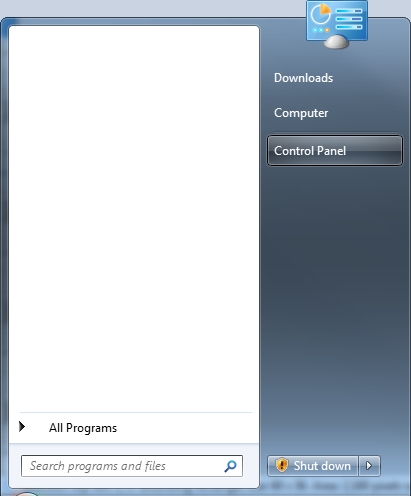
Start -->

Control Panel -->
Programs and Features -->
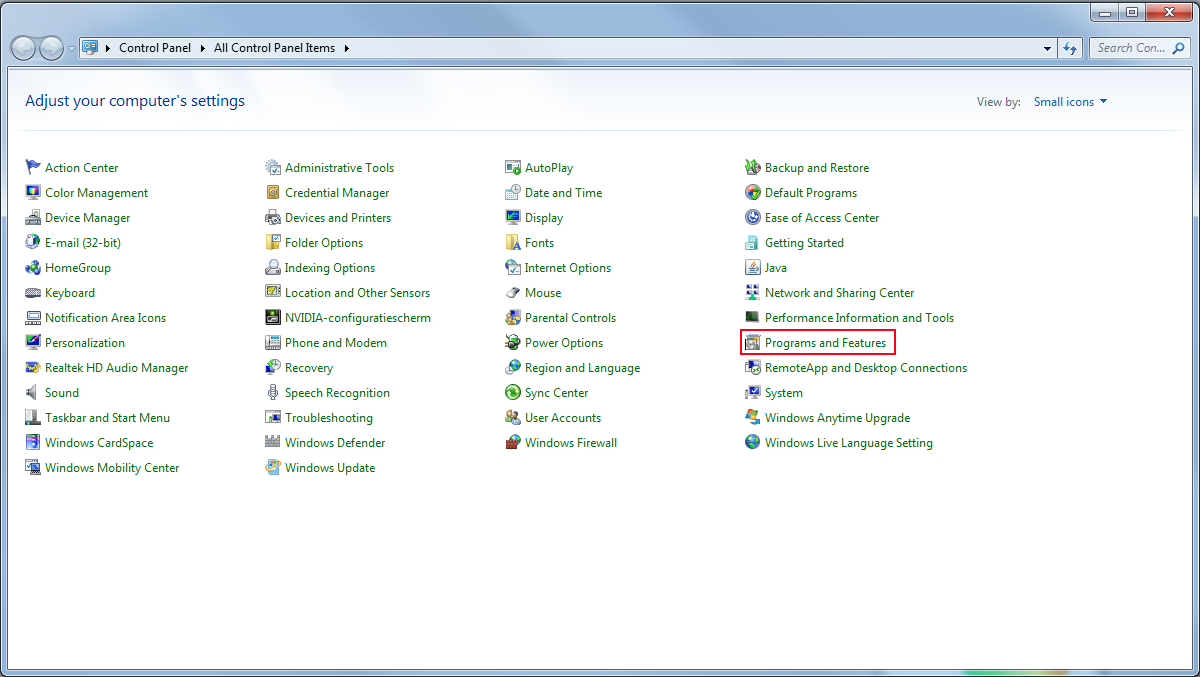
Turn Windows features on or off
Control Panel -->
Programs and Features -->
Turn Windows features on or off
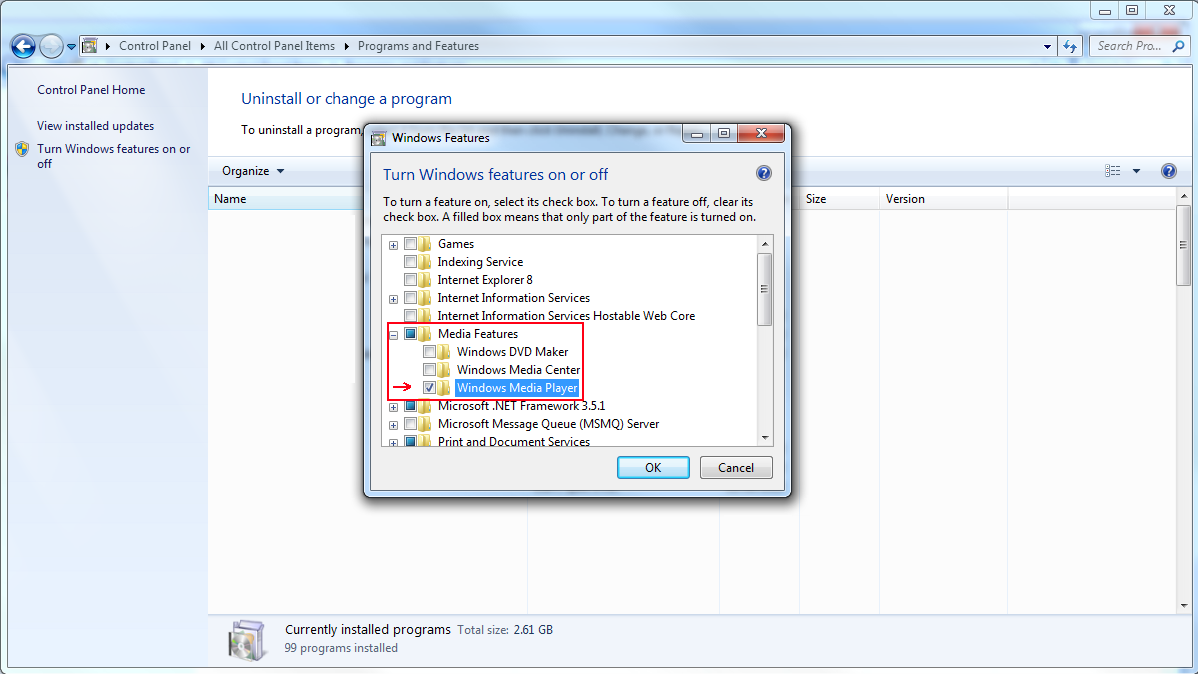
- Look for Media Features
- Expand Media Features by clicking on the + icon
- Select Windows Media Player
- Press Ok
- A window will pop up saying "Please wait while Windows makes change to features. This might take several minutes"
- The window dissapears afterwards
- Restart of Windows might be required
Post it in the Bugs forum section located here:
http://pokemon3d.net/forum/forums/6/
If you cannot find out how to install / update or re-install windows media player or think something else may cause these issues.
Please post in the community support forum section located here:
http://pokemon3d.net/forum/forums/9/