
-
✨ ARCHIVE MODE ✨
The forum has now been set to read-only mode, no new posts, resources, replies etc will not be possible.
We recommend you join our Discord server to get real-time response: Discord Invite Link
Fixed 3.2 battle area glitch
- Thread starter Exemplary
- Start date
- Status
- Not open for further replies.



oh i had that same issue
i got creeped out
i even thinked i was playing lostsilver gamemode
i got creeped out
i even thinked i was playing lostsilver gamemode

Mattyjames22
Dragon Tamer
I have the same issue at the same route.

Lucifer XIII
Fisherman
Theres also this one at the route just after the guy checks you for the violet city gym badge.
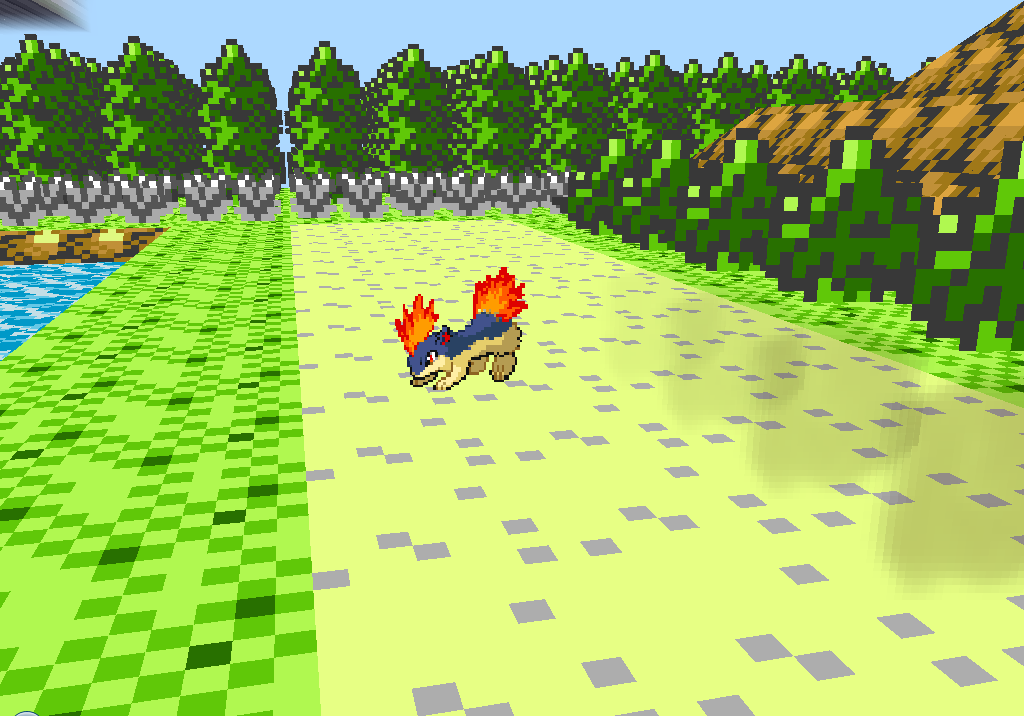


oh yeah for route29 I forgot that the update isnt deleting files that you have on your computer.
Just delete the file, as Darkfire said.
Same with the background in the main menu, we deleted the file, but you still have it because the update doesnt delete it.
And the Route 32 battle area is fixed.
Just delete the file, as Darkfire said.
Same with the background in the main menu, we deleted the file, but you still have it because the update doesnt delete it.
And the Route 32 battle area is fixed.

we removed Violet city from the intro?oh yeah for route29 I forgot that the update isnt deleting files that you have on your computer.
Just delete the file, as Darkfire said.
Same with the background in the main menu, we deleted the file, but you still have it because the update doesnt delete it.
And the Route 32 battle area is fixed.
I was thinking it would be better to add some for each city or something
yeah I removed that one.we removed Violet city from the intro?oh yeah for route29 I forgot that the update isnt deleting files that you have on your computer.
Just delete the file, as Darkfire said.
Same with the background in the main menu, we deleted the file, but you still have it because the update doesnt delete it.
And the Route 32 battle area is fixed.
I was thinking it would be better to add some for each city or something
- Status
- Not open for further replies.